
BUILD JOURNAL // K2 PRO // FAILURE + RECOVERY
Three hours, two burns and one snapped nozzle.
Sometimes the repair does not work. Sometimes the printer wins. And sometimes a tiny piece of red filament stays inside the broken nozzle purely so it can keep pissing you off after the fight is over.
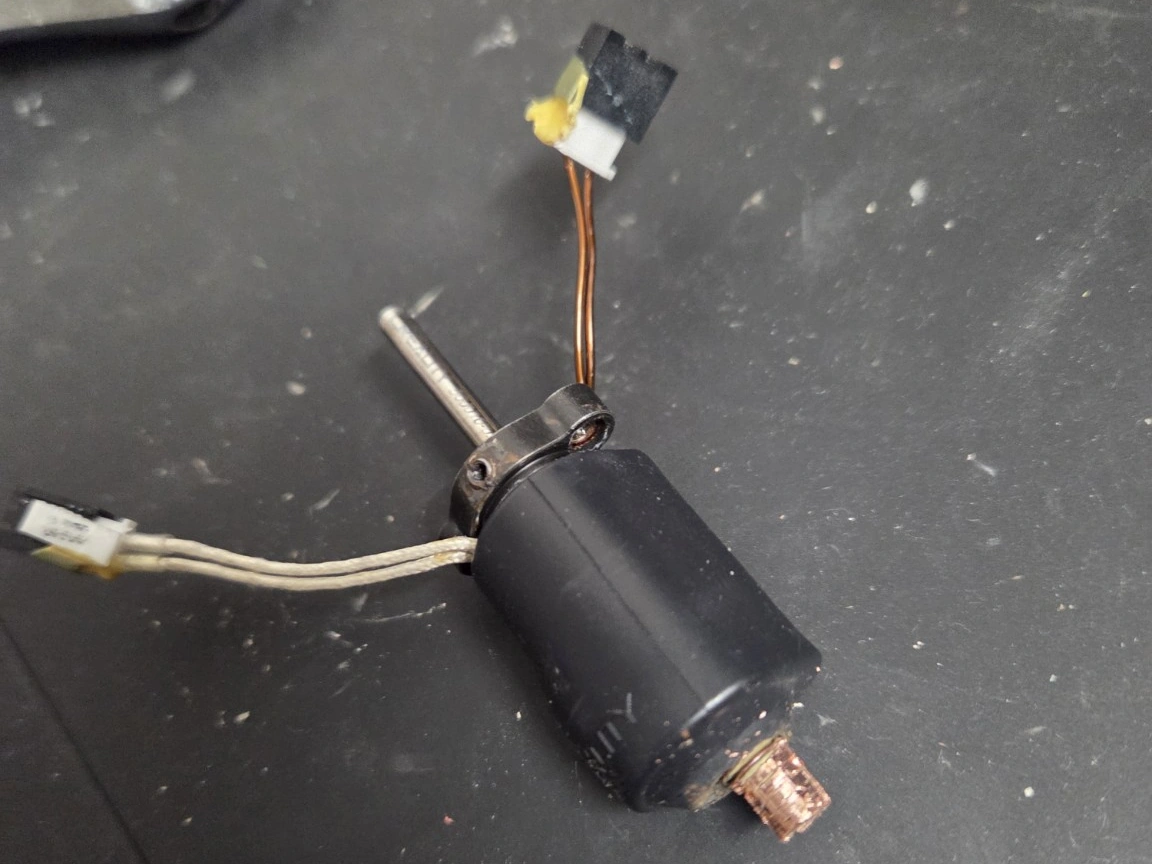
It started as a jam.
The printer had been complaining before I touched anything. I had a mix of filament and extrusion warnings, including FB2847 — filament may be tangled, FO2845 — extruder may be clogged, and later TE2564 — the nozzle is not heating as expected.
So I did what I normally do: start at the obvious end and work through the filament path.
I opened the toolhead up. Vacuumed it. Brushed out the feeder and the path down to the extruder. Loaded filament. Unloaded filament. Tried the other filaments. Loaded them again. Unloaded them again. Checked for bits of chewed plastic. Checked the path. Tried to prove each bit worked before blaming the next one.
Then the job moved into the hot zone.
Clearing a hotend is where the whole thing gets considerably less friendly.
To soften the filament and service the nozzle, I ended up working around the hotend at roughly 240°C. I understand why heat is involved — cold plastic is not exactly famous for volunteering to leave a nozzle — but I still think requiring hands, tools, tiny connectors and stubborn threaded parts to all meet around a 240°C lump of metal is a poor serviceability choice.
And yes: I burned myself.
More than once.
Nothing serious in the end, but enough to confirm that 240°C remains extremely effective at identifying exactly where your fingers are.
Three hours later, this had become personal.
I tried heat treatment. I tried manually clearing the filament. I tried working the blockage back through the path. I inspected the feeder. I inspected the extruder. I removed things, cleaned things, reinstalled things and generally spent far too long convincing myself the next attempt would be the one.
There is a point in troubleshooting where persistence stops being a virtue and quietly changes its name to stubbornness.
I sailed past that point.
And then: crack.
If you have repaired enough things, you know the sound. Not necessarily loud. Just a tiny mechanical noise that immediately translates to:
Well. That's probably fucked.
The nozzle snapped clean off.
The threaded section stayed behind. The rest of the assembly came away. And sitting inside the broken nozzle was the same red filament I had spent hours trying to remove.
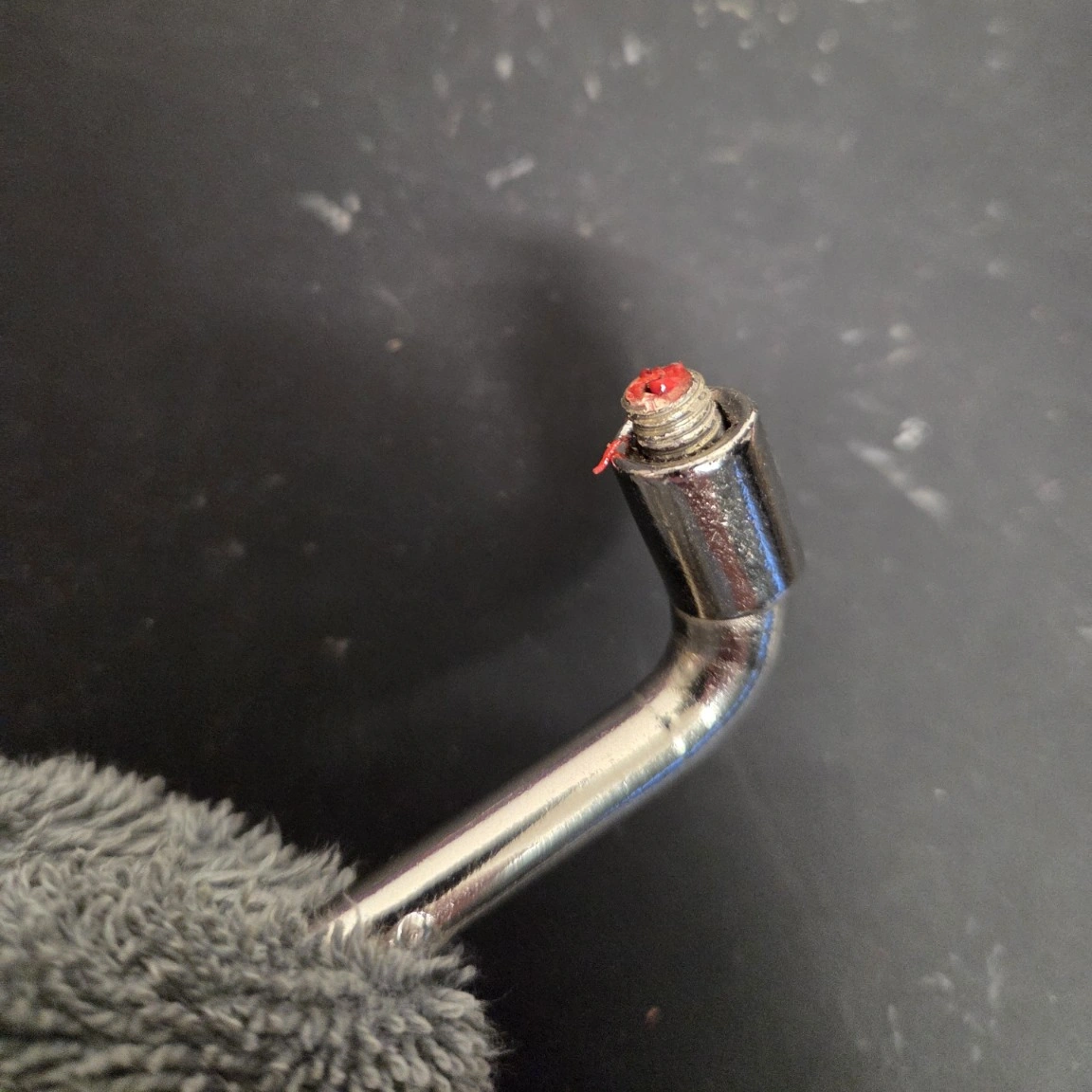
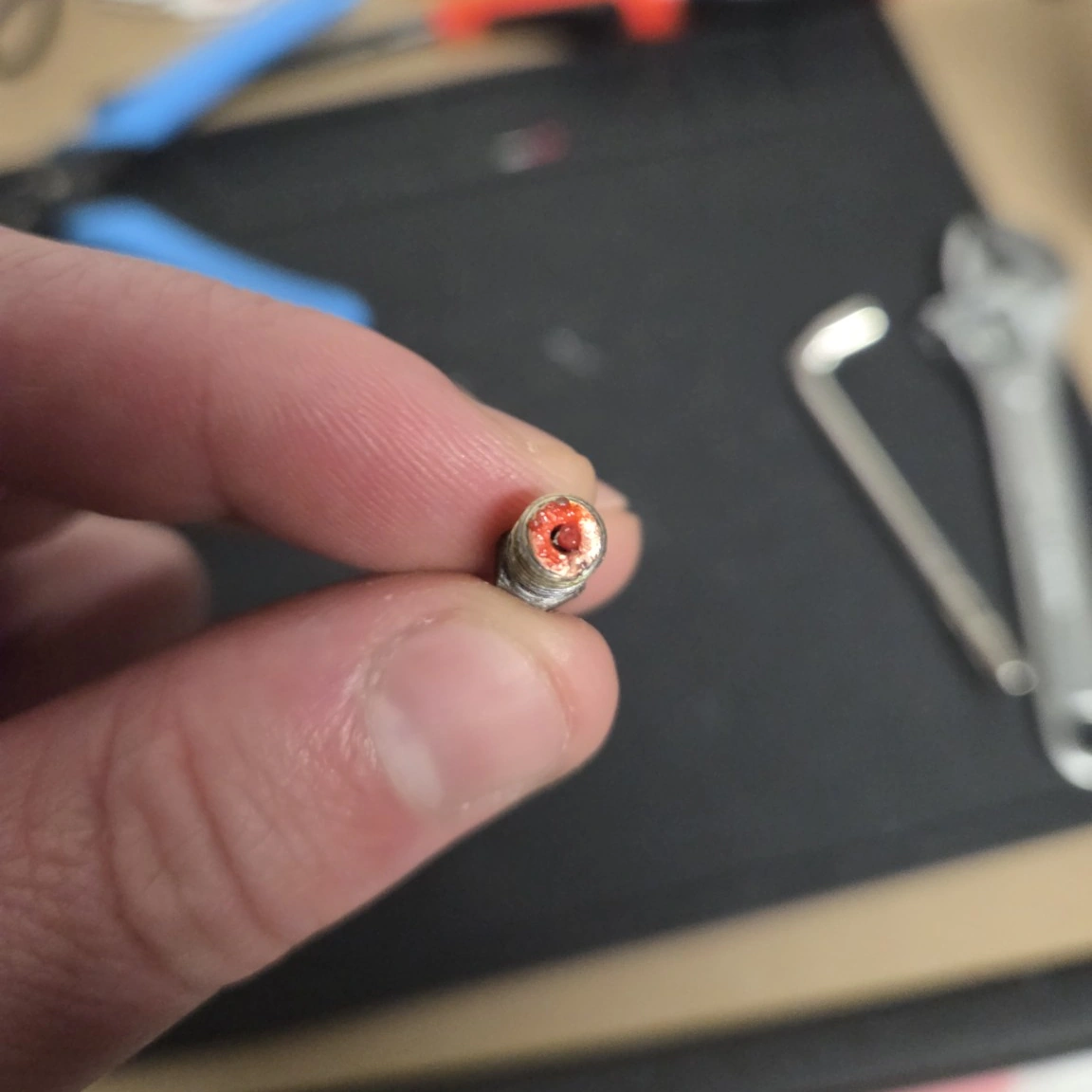
Eventually, after all of that, the bloody thing actually came out.
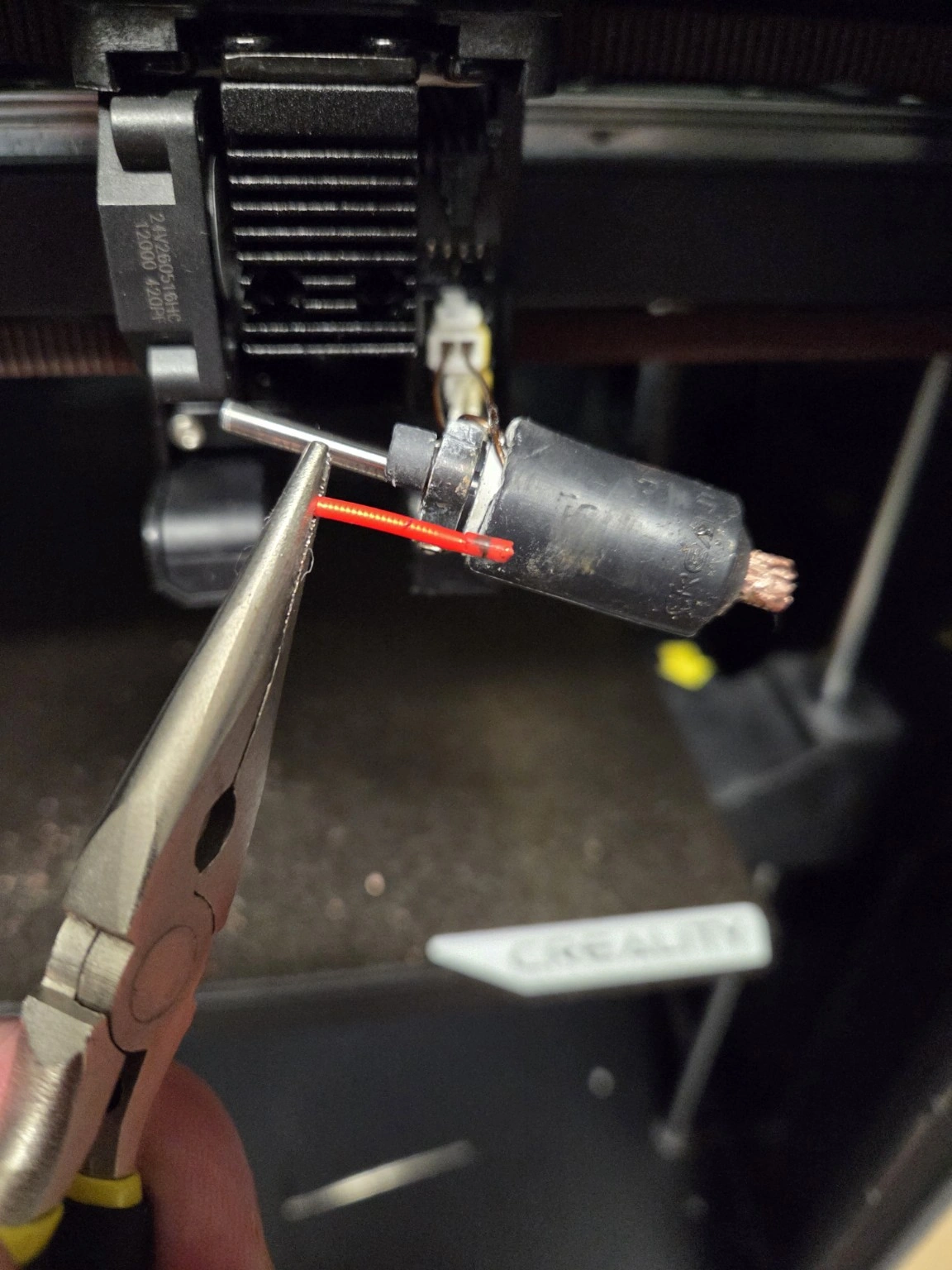
The hotend has now lost its appeal hearing.
Could I keep going? Probably. More heat. Extraction tools. Drilling. More force. More creative language.
But the printer had already reported a heating fault, the heater and thermistor area had been handled repeatedly, and I had now mechanically broken the nozzle assembly. There comes a point where trying to save one replaceable part starts putting the more expensive parts around it at risk.
That is the point where the Allen key goes down.
I am ordering a new hotend.
UPDATE // 4 OCTOBER 2026 // THE PARTS HUNT
Apparently buying the replacement was the next problem.
Once I had finally accepted that the original hotend was finished, I assumed the expensive part of the lesson was over.
It is a replaceable hotend. Creality sells them. The official pricing actually looked pretty reasonable. Find one, order it, bolt it back in and carry on.
Simple.
Except the official Creality store was sold out.
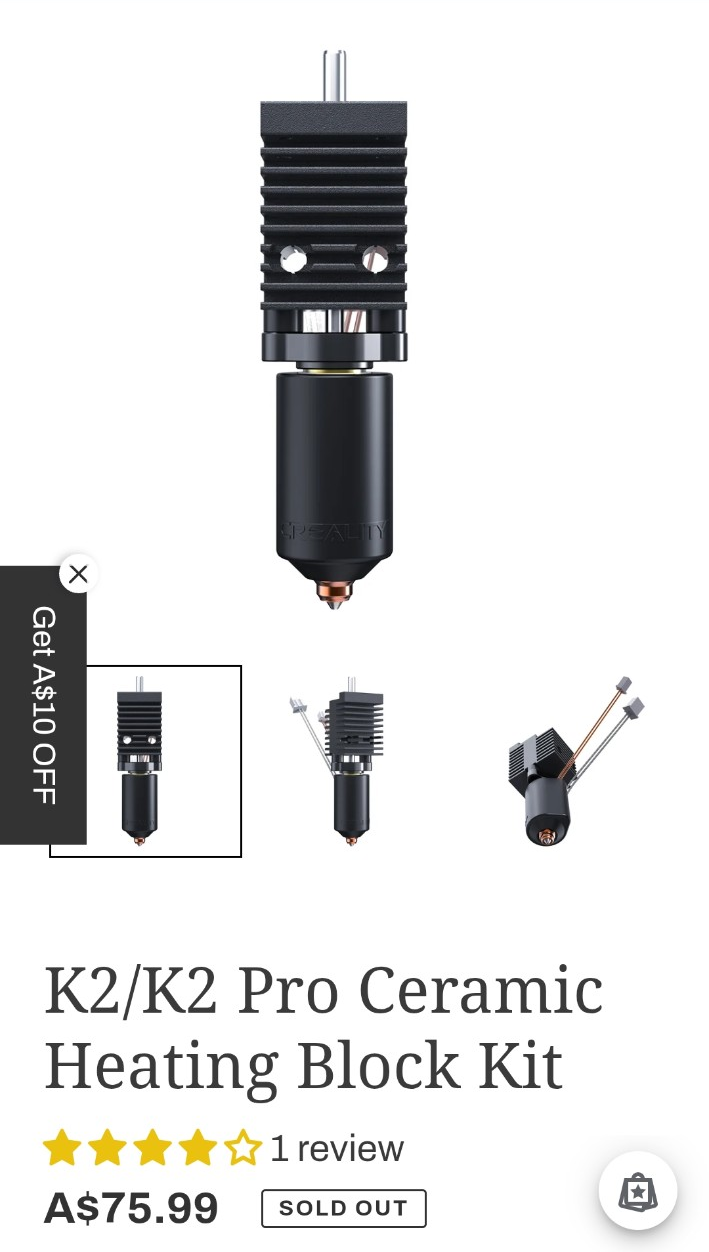
So I started checking Australian 3D-printing suppliers. Sold out. Another supplier. Sold out. Another one. Also sold out.
Then Amazon joined in. Several listings looked available in search results, but when I tried Add to Cart or Buy Now I was dumped back into Amazon's menus instead of being allowed to buy anything. Whatever was happening behind the listing, the practical result was the same: I still did not have a hotend.
After roughly a dozen attempts across Creality, Australian suppliers and Amazon listings, I finally found an Amazon page for the K2/K2 Pro hotend that would actually let me order it.
Don't wait until you need the spare.
When the printer is working perfectly, waiting a week or two for stock means almost nothing.
When the printer is sitting on the bench with the toolhead stripped apart, connectors hanging out of it and pieces of hotend sitting beside increasingly abused tools, suddenly ships eventually becomes a much less attractive option.
That is when the urgency tax turns up.
I found Australian stock during the hunt, but once delivery was added I was looking at roughly A$95 for a part that was considerably cheaper when bought without the panic attached.
At that point you are not really paying for the hotend. You are paying to make the large, expensive machine on your desk stop being a very heavy paperweight.
And don't assume a broken nozzle only needs a nozzle.
This was another assumption I made at the beginning.
Nozzle damaged? Fine. Replace the nozzle.
I already had a replacement nozzle. That should have made this the easy part.
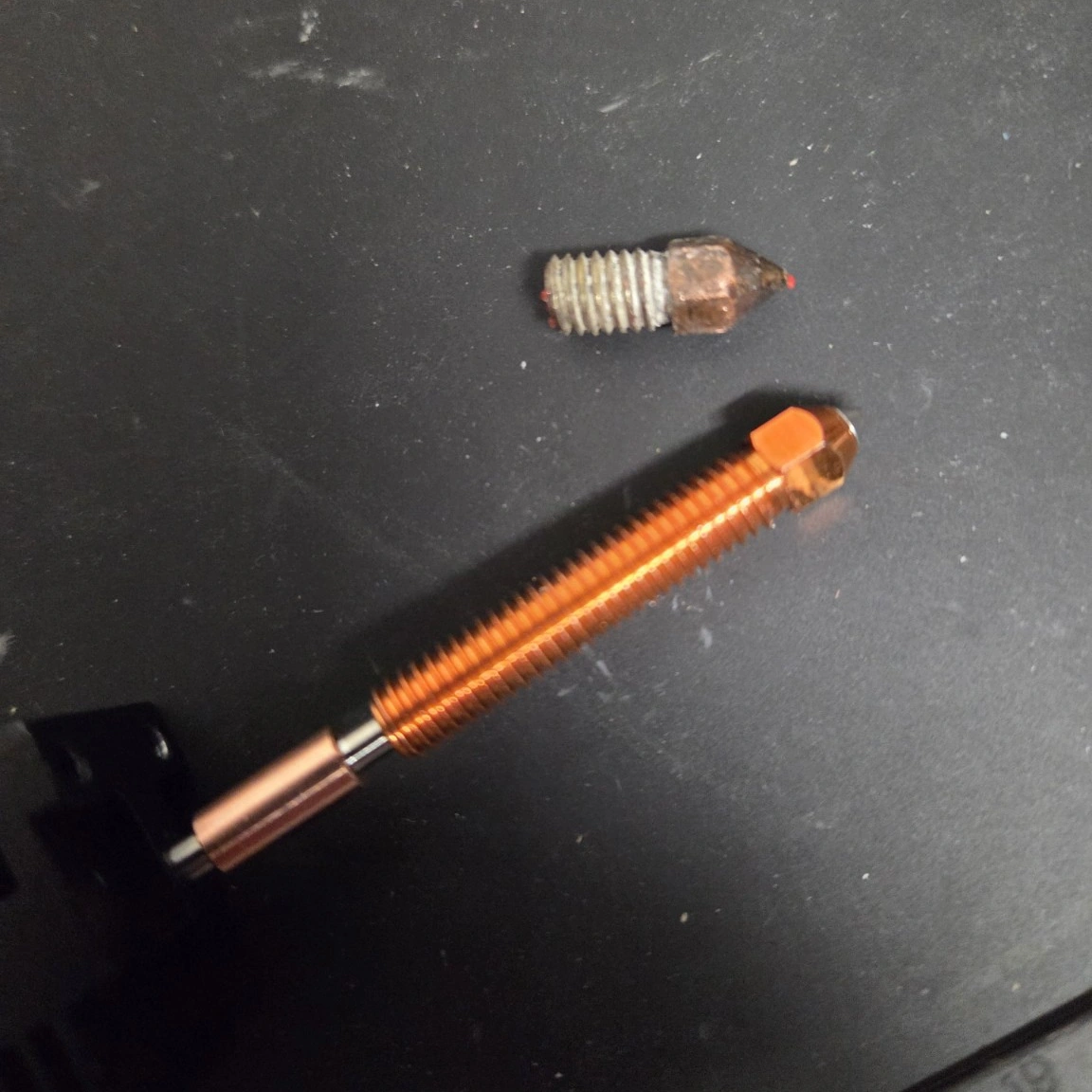
Except my nozzle and hotend had apparently used the previous few hours to develop what I can only describe as an unbreakable molecular-level commitment.
I eventually worked the broken threaded section back far enough that I was effectively looking at raw brass. That should have felt like progress.
It did not.
By that point it was very obvious that the two parts had made a lifelong commitment to each other and had absolutely no intention of separating just because I wanted them to.
Could I have kept going with more heat, drilling, extraction tools and force? Probably. I also could have turned one failed replaceable assembly into damage to the heater, thermistor, heatbreak or something else around it.
The economics stop making sense pretty quickly.
So the whole hotend gets replaced.
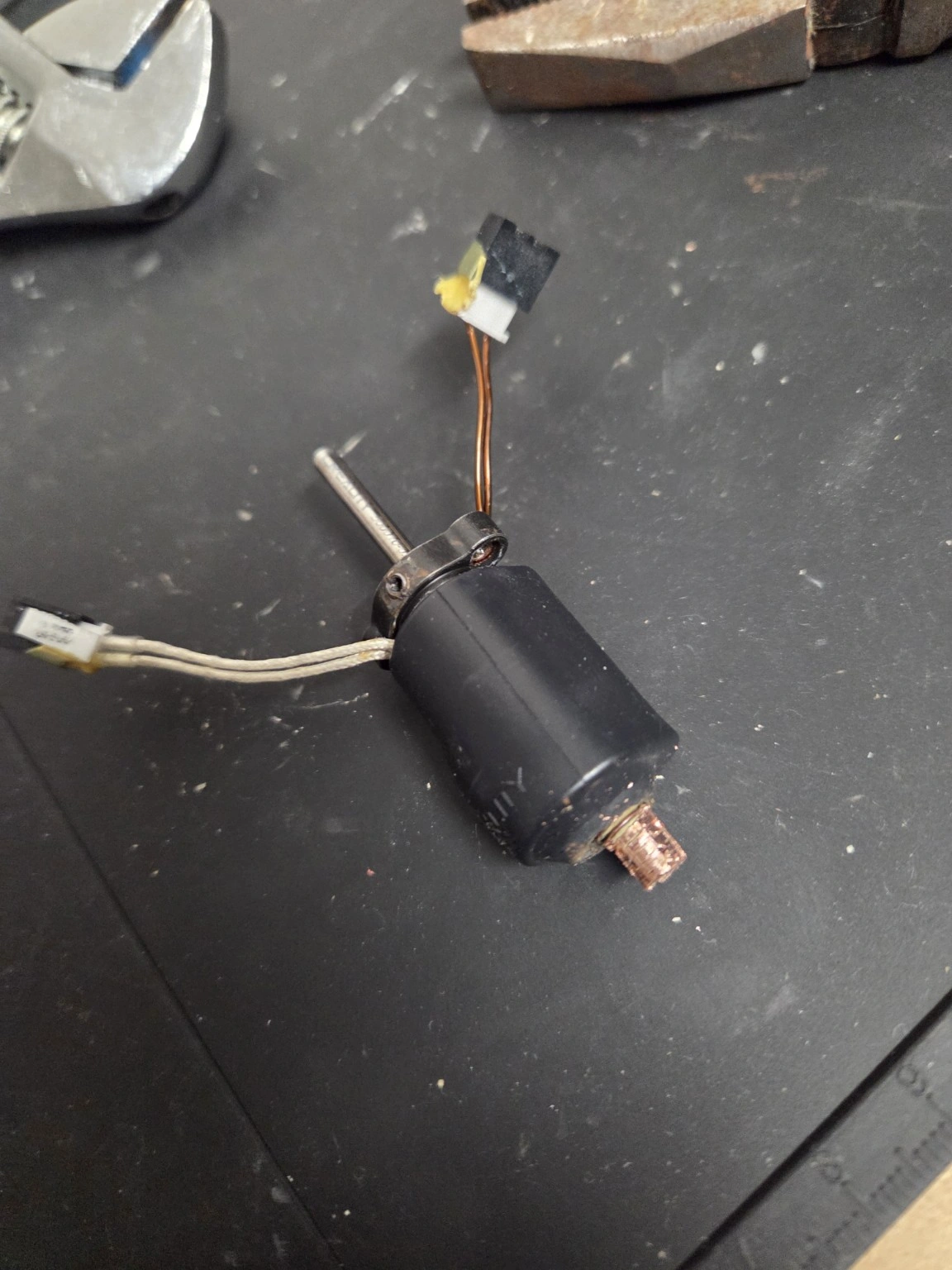
A cheap hotend is not necessarily a cheap repair.
The parts hunt also introduced another very tempting option: the extraordinarily cheap replacement.
AliExpress, Amazon Marketplace and other online stores are full of K2-compatible nozzles and hotends that look remarkably similar to the genuine part. Some may work perfectly well. Some clearly do not.
I found enough K2 owner reports of cloned or questionable parts with things like misaligned mounting holes, incorrect temperature sensors, loose heater fit and nozzle tips failing early to make me cautious. I also found owners using cheap aftermarket parts successfully.
So the lesson is not AliExpress bad, and it is not that everything without a Creality logo is rubbish.
The useful distinction is aftermarket versus unknown knock-off.
A reputable manufacturer producing its own engineered replacement is one thing. An anonymous assembly that happens to look exactly like the original in a product photo, with little documentation and no obvious way to confirm what heater or thermistor is inside it, is something else.
Aftermarket doesn't automatically mean bad.
There are legitimate aftermarket options that may be worth investigating rather than simply treating the OEM part as the only acceptable answer.
Micro Swiss, for example, sells its FlowTech hotend specifically for the K2, K2 Pro and K2 Plus, publishes installation documentation, and calls out the model-specific heater and thermistor differences. That is a fundamentally different proposition from an anonymous clone whose strongest specification is that the product photo looks right.
I am not saying that makes any particular aftermarket hotend automatically better, or that everyone should replace the stock unit with one. It means there is enough information to actually research the decision.
The spare-parts rule now has an asterisk.
So my revised advice is not simply buy spares.
It is:
That is the real advantage of buying before something fails. You can wait for genuine stock. You can investigate a reputable aftermarket upgrade. You can compare prices. You can read what other owners discovered.
You do not have to make the decision while staring at a dismantled printer and thinking, "That $22 one will probably be fine..."
Right now my K2 Pro looks considerably less like a 3D printer and considerably more like something I stole from an electronics recycling bin: cables hanging out, hotend removed, nozzle destroyed and parts spread across the bench.
The replacement is finally sourced. When it arrives, I still need to prove the original feed / clog / heating problem is actually gone rather than installing a fresh victim.
Lesson learned. We carry on.
The snapped nozzle was not necessarily the original fault.
This bit matters.
The K2 Pro was already throwing feed, clog and heating errors before I snapped the nozzle. The break happened during my repair attempt. So I am not going to bolt in a new hotend and pretend the original problem definitely died with the old one.
When the replacement arrives, I will go back through the path again: spool and feed system, extruder, cutter, filament path, heatbreak and nozzle. The goal is to make sure I am not just installing a fresh victim.
This is also 3D printing.
I want the site to show the successful prints, because making something useful is the whole reason I bought the machine.
But I also want to keep this bit.
Real 3D printing is not always:
Sometimes it is:
That is still part of making things.
You learn how the machine actually works. You learn what is serviceable. You learn which error message is useful and which one is just the first symptom the printer noticed. You learn when persistence pays off.
And occasionally you learn when to stop before a replaceable-part problem turns into an expensive toolhead-shaped lesson.
One design gripe before I leave it alone.
I still like the K2 Pro. One miserable maintenance session does not erase the good prints it has produced.
But I am absolutely going to criticise the service experience here.
Any maintenance task that puts the user around a roughly 240°C hotend while they are manipulating small threaded parts and wiring deserves very clear procedure, very good access and a healthy respect for how quickly things go wrong. In my case, I burned myself while trying to clear the blockage. That is not a theoretical objection anymore.
There may be perfectly sound engineering reasons for the hotend arrangement. That does not automatically make it pleasant to service.
PART TWO // 6 OCTOBER 2026 // THE REPAIR
The replacement arrived. Obviously it wasn't that simple.
A few days after turning the original hotend into an expensive paperweight, the replacement finally arrived.
Genuine Creality. Complete hotend. New nozzle. Thermal grease. Hardware.
Beautiful.
For approximately five minutes I allowed myself to believe this was going to be easy.
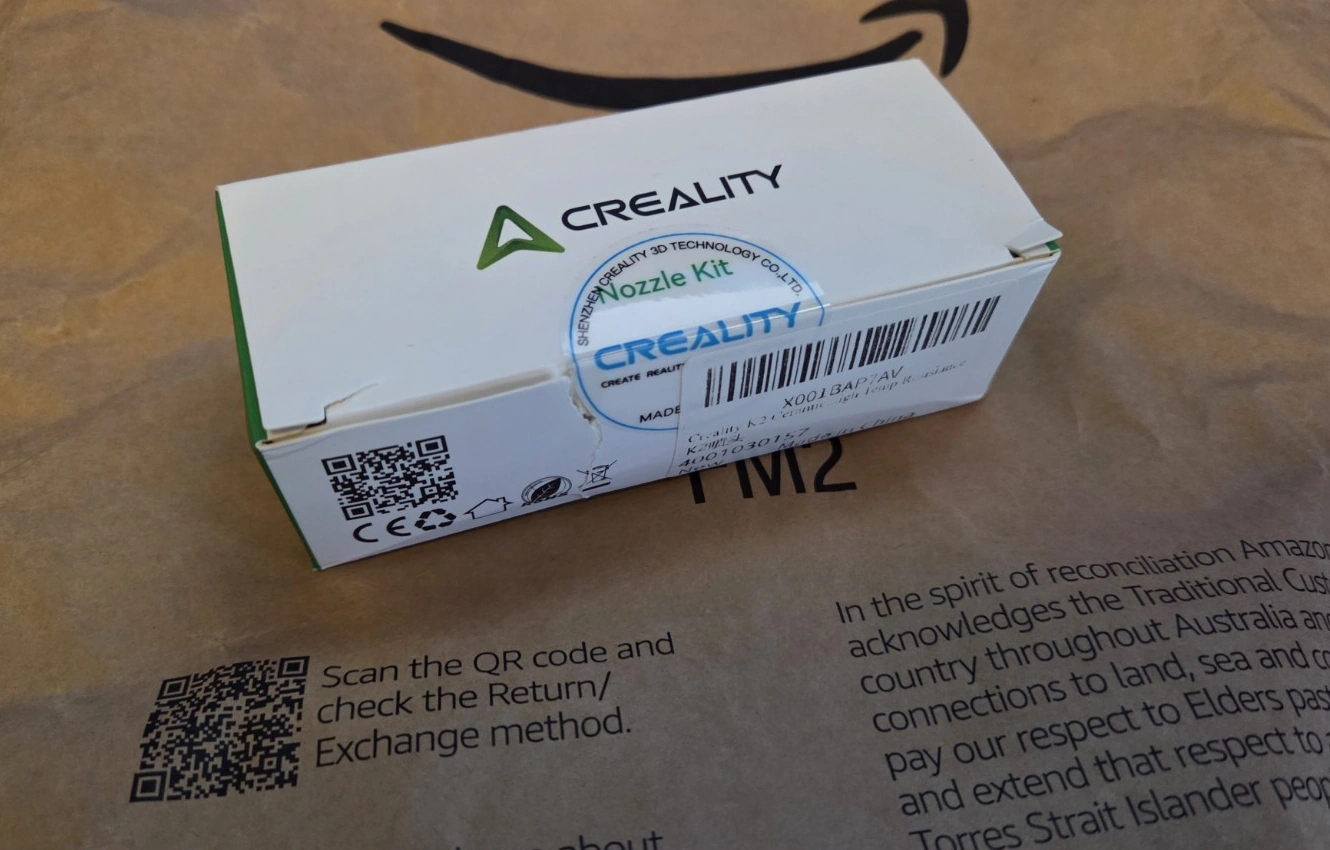
I put the old and new assemblies beside each other before installation. One looked like a printer part. The other looked like it had returned from active service.
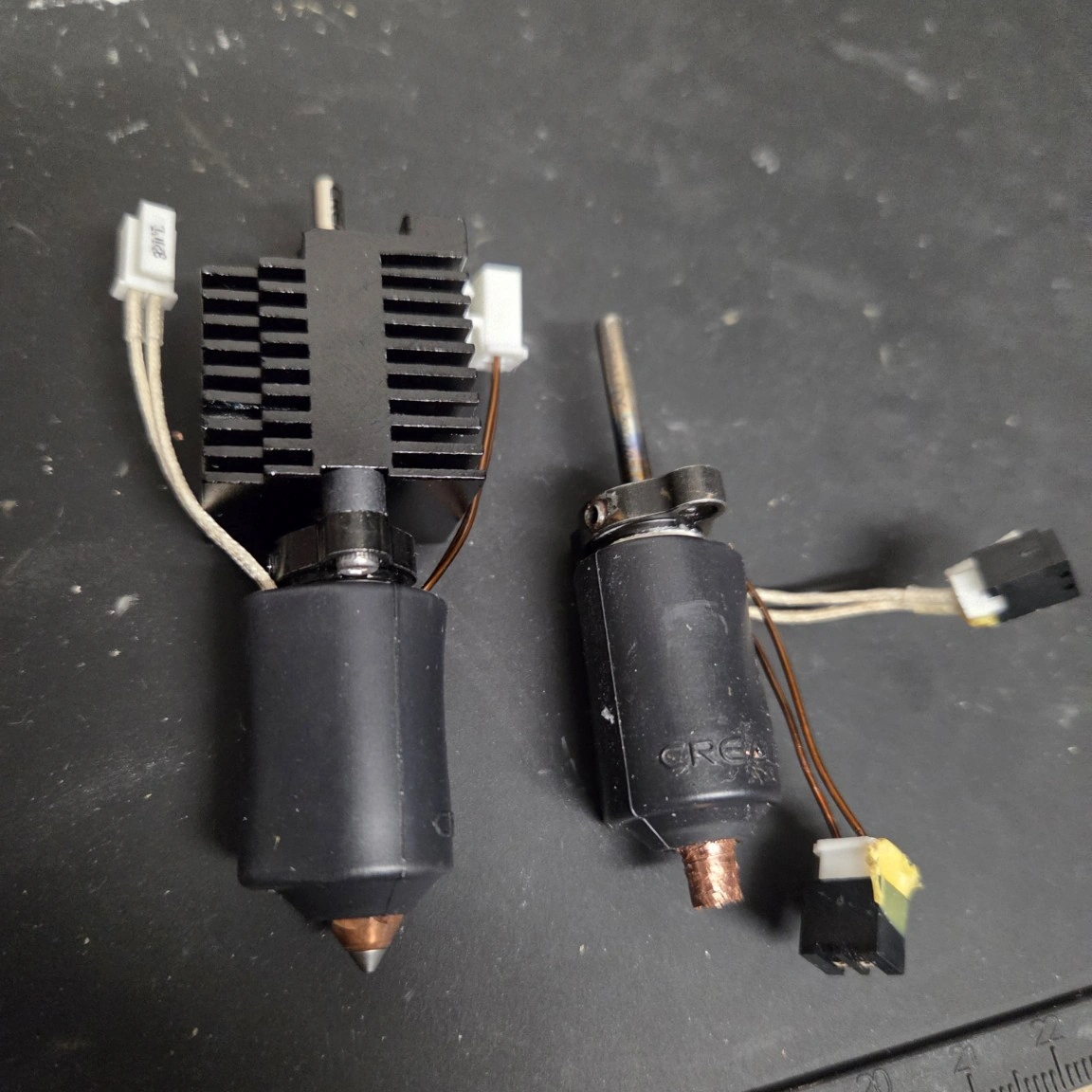
The replacement went in, the connectors went back where they belonged, the hotend sat square in the toolhead, and I moved on to calibration.
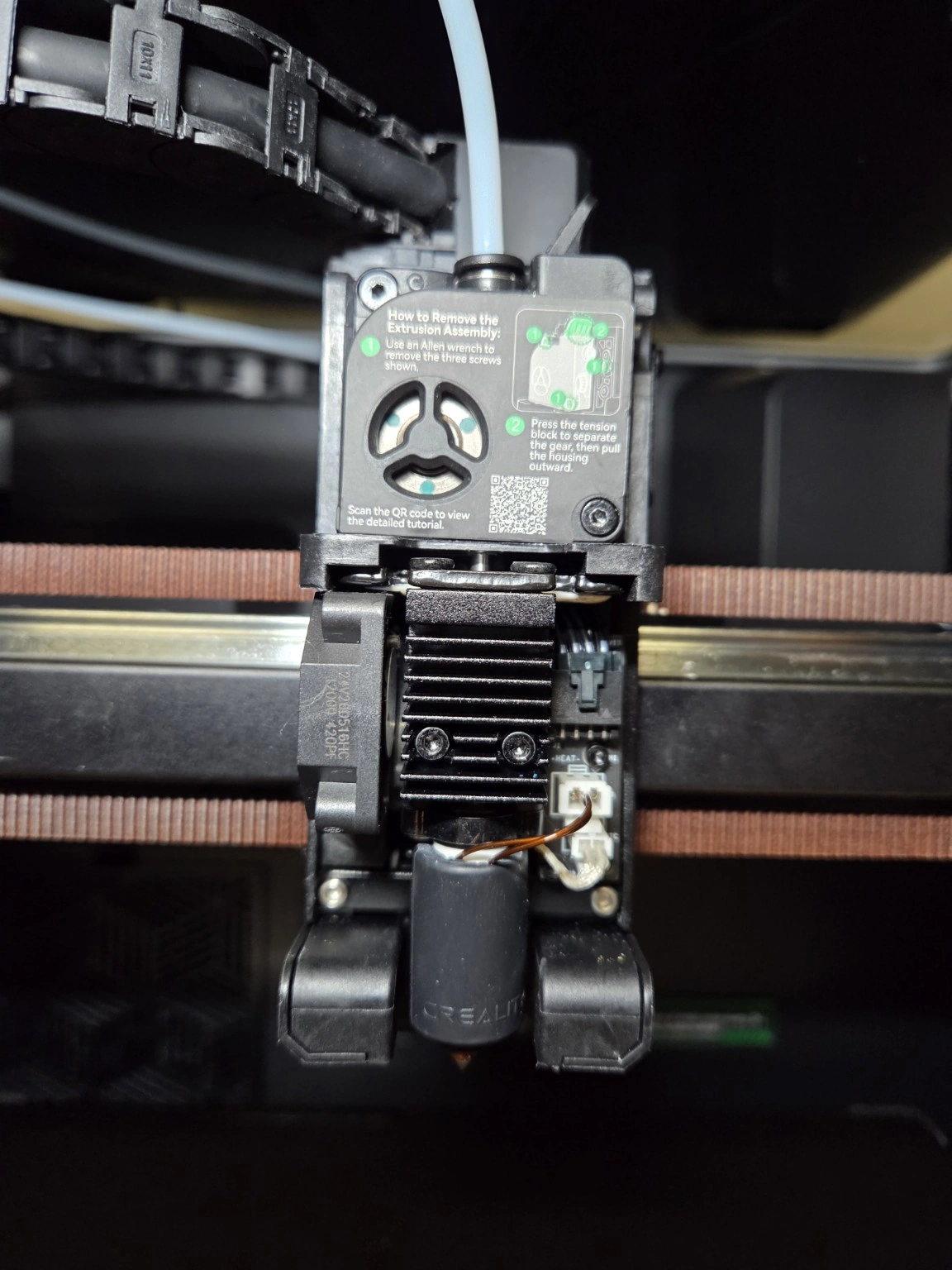
And then the printer found a new error code.
The first proper calibration attempt did not give me the satisfying green tick I had been hoping for.
Instead I got TE2762:
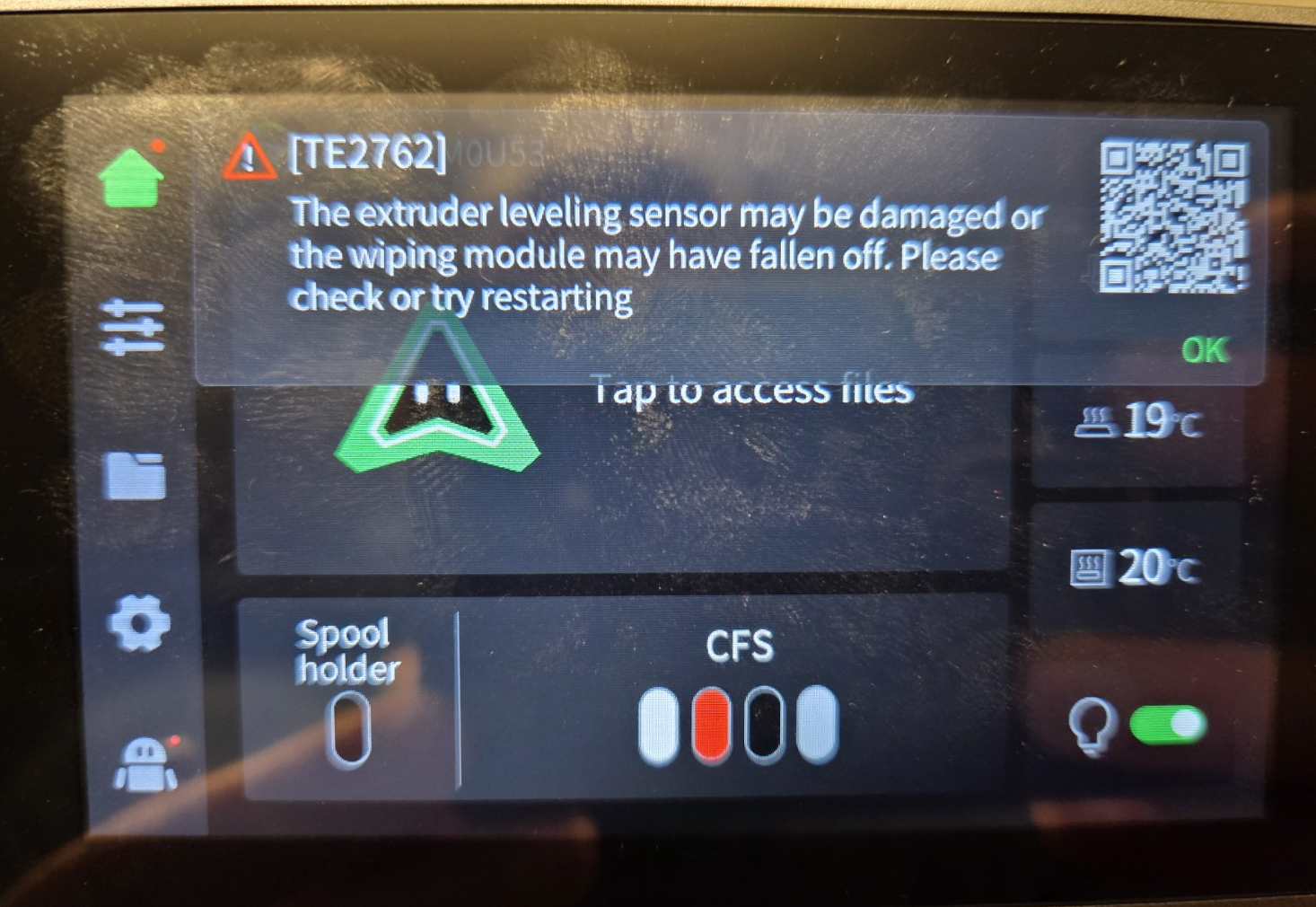
That at least gave me something physical to watch. During the wiping sequence the nozzle seemed to pass over the wiper instead of properly engaging with it. It looked high.
So the cover came back off.
Again.
Sorry, MakerMouse. I ignored you.
At this point my AI assistant was quite sensibly telling me not to start backing the nozzle out of a brand-new genuine hotend just to change its height.
The warning was reasonable. A nozzle that is not seated correctly can create an entirely new problem, and after the last few days I had already collected enough new problems.
I ignored it.
Sorry, not sorry.
I heated the hotend to about 240°C, tightened the hotend mounting at the top and backed the nozzle out by roughly a turn while watching the relationship between the nozzle and wiping module.
After that, the wiping motion looked different. The nozzle actually engaged where I expected it to, and the printer stopped complaining.
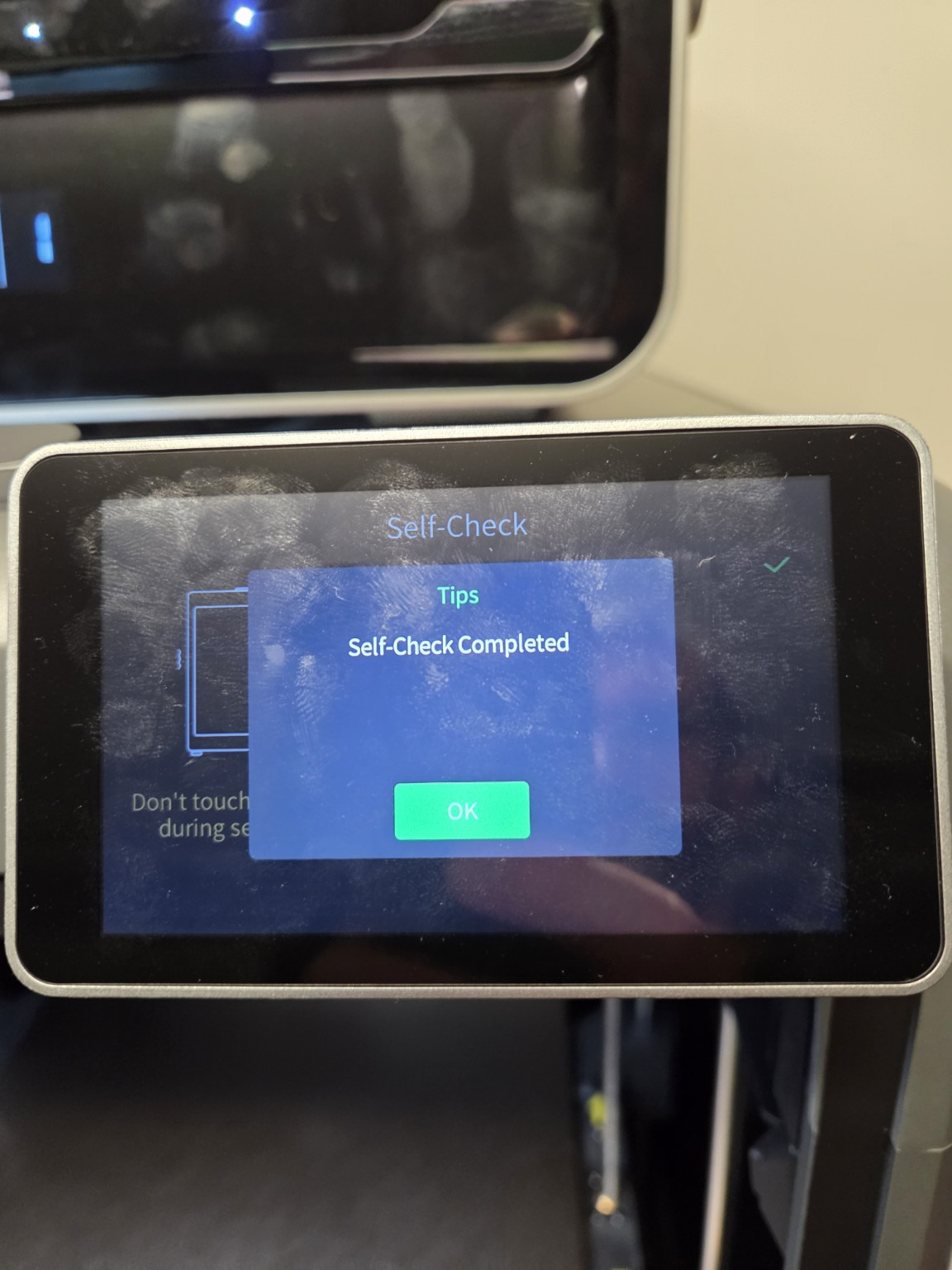
That distinction matters. The useful result was not “one turn fixes TE2762”. The useful result was that changing the physical relationship between the installed hotend, nozzle and wiper immediately changed the printer's behaviour.
The machine in front of me had just supplied better evidence than the theory.
Then came the world's most exciting tiny blob of plastic.
After all of that, filament finally came out of the new hotend for the first time.
Nothing spectacular. Just plastic doing what plastic is supposed to do.
And after several days of the printer being dead, it might as well have been a moon landing.
For the first actual print I went back to one of my usual sacrificial test pieces: the little Jewel from the bottom of a costume sword model.
It is tiny. I know what it should look like. It uses almost no filament. If the printer decides to ruin my evening again, I lose minutes instead of hours.
The file showed an estimate of about 8½ minutes. The printer ultimately reported 11 minutes and 2.0 grams.
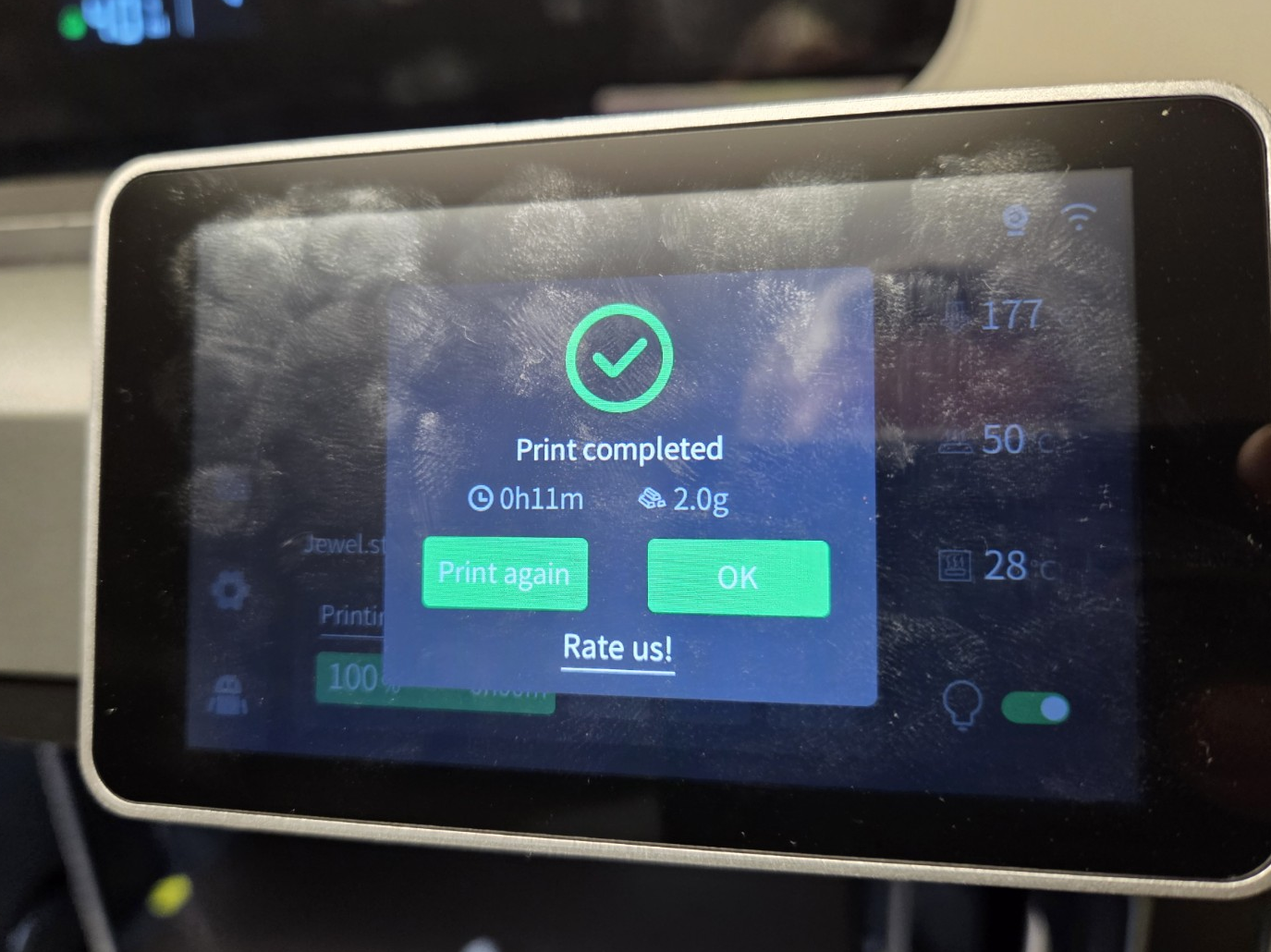
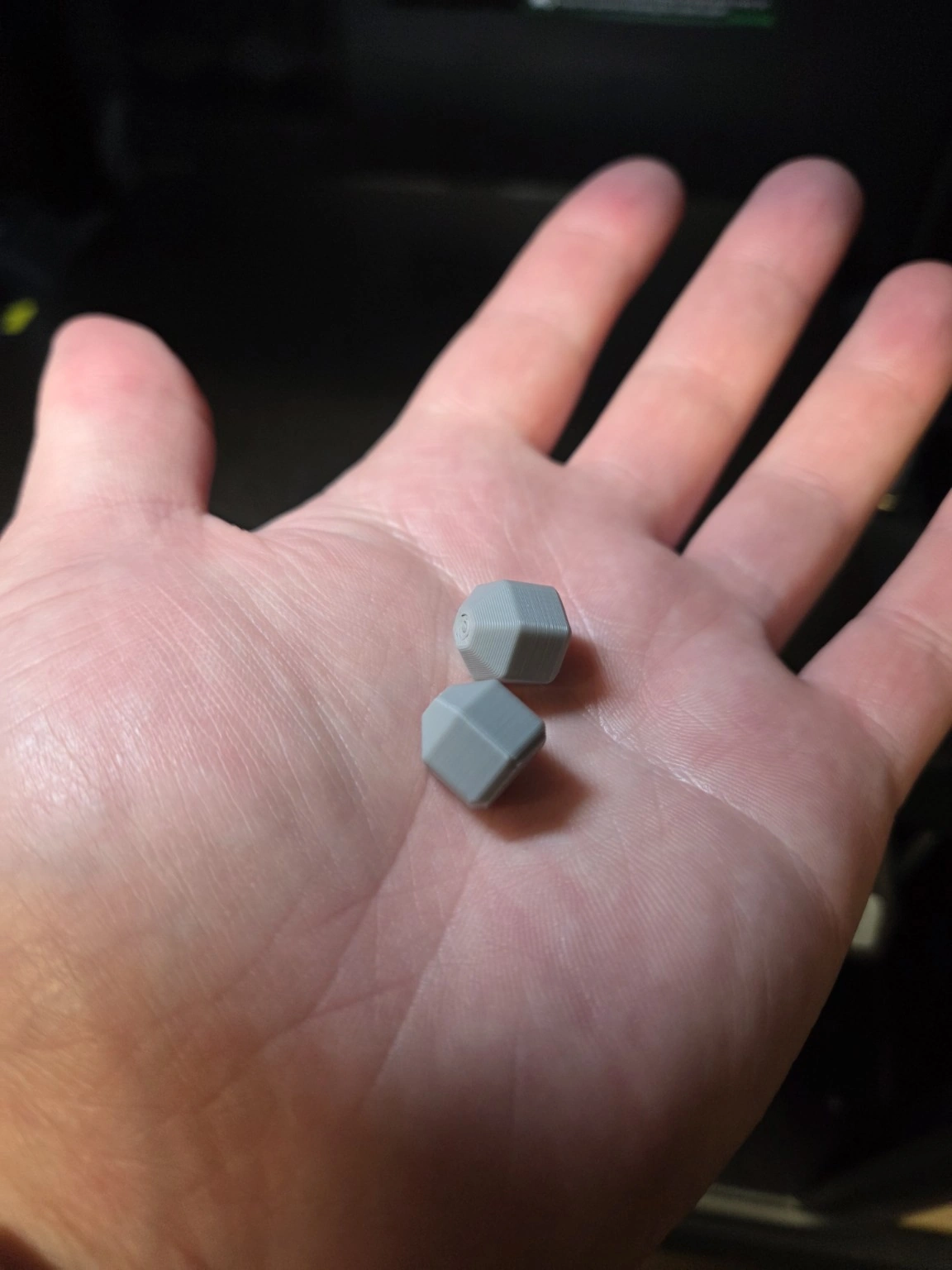
And this is what “just replacing the hotend” looked like.
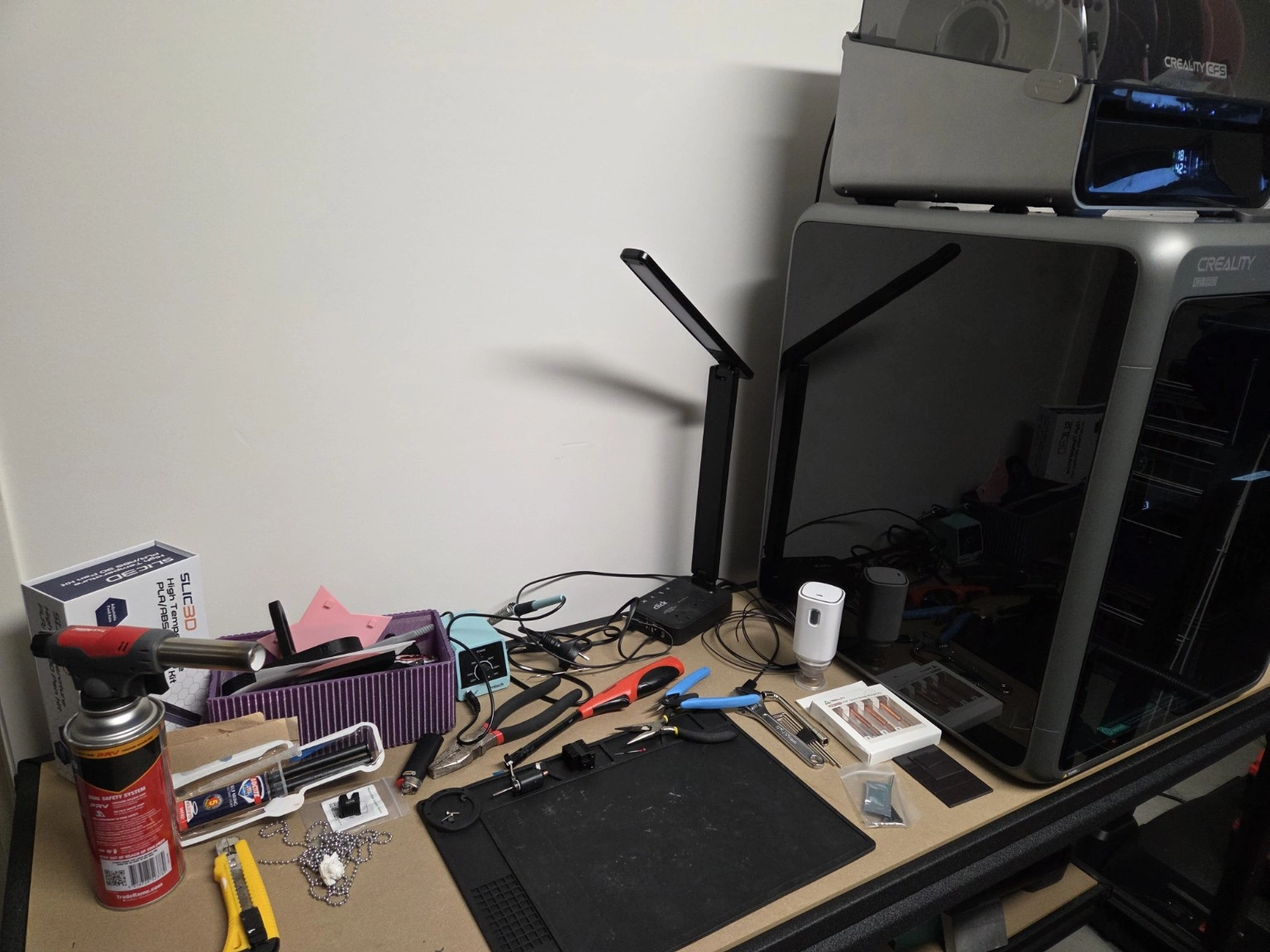
This is probably a more accurate photograph of hobby 3D printing than most product photography.
There is the murdered original hotend. Replacement parts. Tools everywhere. Old calibration coupons. Failed prints. Random prototypes whose purpose I am reasonably sure I understood when I printed them.
And somewhere underneath all of it is technically a workbench.
I could clean it all up, stage the tools and take a neat photo.
But that would not really be the story.
This is.
So, was the three-hour repair a waste of time?
No.
Would I do exactly the same thing again?
Also no.
I learned considerably more about the K2 Pro toolhead by pulling it apart than I would have learned by immediately throwing a replacement assembly at it. I also learned there is a point where troubleshooting stops being economical and stubbornness takes over.
I crossed that point somewhere around the second burn.
The bigger practical lesson is the spare-parts one: a printer I use constantly for prototypes needs a small stock of known-good failure parts. A spare hotend in a drawer would have turned this into an evening inconvenience instead of several days of downtime and an urgent hunt for stock.
That is pretty much how I use AI for the rest of D4Maker too: help me think, document, compare and iterate — then prove it against the real thing.
Until the next thing breaks.
CURRENT STATUS